- Key takeaways
- Support Can Reveal Hidden Product Complexity
- What Does Software Support Include Beyond Bug Fixes?
- When a Support Issue Points to More
- Not Every Support Issue Requires Modernization
- What Should You Look for in a Support Backlog?
- When Should You Fix, Refactor, Modernize, or Migrate?
- A Practical Example: From a Support Request to Modernization
- Software Support Can Be the Starting Point

A support ticket usually starts with a simple request. Something stopped working, a user cannot complete a process. And in the end, a customer needs a small change to existing functionality. The first thought is usually to fix the problem and get the application working again.
But what happens when the same type of problem keeps coming back? Or when a seemingly small change takes several days because developers need to trace business logic through many parts of the application?
At that point, the support issue may be telling you something about the software itself. Software support goes beyond bug fixes when recurring incidents or outdated technology point to a deeper problem in the application. We don’t say that every support ticket means modernization. Sometimes a bug is simply a bug. Recognizing when fixing issues doesn’t help the problem is what’s important.
Key takeaways
- Software support can reveal problems that are larger than individual bugs.
- Recurring tickets, long resolution times and manual workarounds can be signs of deeper technical issues.
- Refactoring, modernization, migration, and performance improvements can all be part of support.
- A support backlog can provide practical evidence for building a modernization roadmap.
- Identify where changes to the application can reduce recurring support effort.
Support Can Reveal Hidden Product Complexity
As we discussed in our article on support tickets, a support ticket is often a symptom rather than the root problem.
A recurring bug or customer-specific request may point to duplicated business logic. They might be signs of outdated components or other structural issues. In these cases, fixing the immediate issue may be necessary. But addressing the underlying cause can reduce the same support effort in the future.
What Does Software Support Include Beyond Bug Fixes?
We often associate software support with fixing issues after they appear. But support can also be proactive. For example, teams may monitor applications, improve performance, or address potential problems before they turn into incidents. In some cases, this work can even lead to modernizing or migrating part of the application. The difference is mainly in the scope of the problem and what is causing it.
If a single query is inefficient, optimizing it may be enough. But if the app struggles with database performance because of how data access is structured, you might need a broader architectural change.
Support provides the context for making that distinction.
When a Support Issue Points to More
Through support work, technical debt often becomes visible. You think of a module as manageable until developers need to change it. Or an integration request may reveal that several parts of the application depend directly on external systems. The same can happen with framework upgrades, new customer requirements, or performance issues. These requests show not only what is old, but what has become difficult to operate and change.
That also helps distinguish a quick fix from a greater improvement. A bug may need an immediate fix, but the investigation can uncover many more problems. In that case, you should ask: what is the smallest change that solves the problem now, and what should we address if the same pattern keeps coming back?
Not Every Support Issue Requires Modernization
It is also important not to overinterpret support data. Modernization becomes more relevant when the same type of friction appears repeatedly. For example, consider three situations:
- A report has one slow query, but the rest of the application performs well. Query optimization may be sufficient.
- The application has several slow reports because database access is inefficient across many modules. A broader performance improvement initiative may make more sense.
- Users regularly report performance problems and developers struggle to understand the data flow. Moreover, the application relies on outdated technology that limits further optimization. At this point, modernization may be part of the solution.
We are looking at the pattern here.
What Should You Look for in a Support Backlog?
Several patterns are particularly useful.
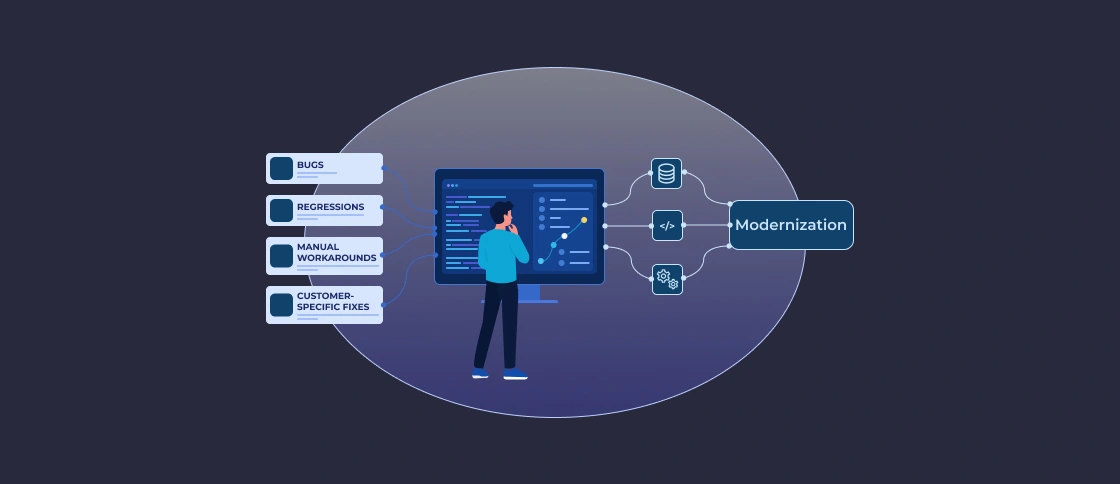
- Recurring problems can show that individual fixes are not addressing the underlying cause.
- Long resolution times can point to complex dependencies, poor code structure, missing documentation, or concentrated technical knowledge.
- Frequent regressions can point to tight coupling or duplicated business logic.
- Manual workarounds can show where the application no longer supports an important business process efficiently.
- Customer-specific fixes can reveal growing variations in the codebase and increasing maintenance complexity.
- Compatibility issues can show that frameworks, libraries or infrastructure are becoming a constraint.
None of these patterns automatically means that you should modernize straight away. They are signals worth investigating.
When Should You Fix, Refactor, Modernize, or Migrate?
These terms describe different levels of intervention:
A bug fix is appropriate when the problem is isolated and the existing implementation is otherwise suitable.
Refactoring becomes useful when the software works but its internal structure makes changes unnecessarily risky.
Modernization addresses broader limitations in the application’s code, architecture, technology, or infrastructure.
Migration moves an application or part of it to a different technology, framework, platform or environment.
A modernization project may include refactoring before migration. A migration may require architectural changes. A support engagement may identify a modernization opportunity while continuing to handle routine fixes.
A Practical Example: From a Support Request to Modernization
We had an industrial software project. It shows how a modernization issue can surface through maintenance work.
The application had a growing support backlog, with around 15 tickets a month, alongside outdated Delphi 7 components, Unicode limitations, and 32-bit and Windows-specific dependencies. The team migrated the application to Delphi 12 and replaced key legacy components. After the modernization, the number of support tickets dropped from 15 per month to zero.
Of course, the impact of modernization depends on the application, the underlying issues, and the scope of the work, so results will vary from project to project.
Software Support Can Be the Starting Point
Software does not become difficult to maintain overnight. It is because architecture evolves or business rules change. You add integrations, and developers work around existing limitations. Over time, small decisions can create a system that takes more effort to support than it once did. Support is where many of those consequences become visible.
Use support information to understand where the application needs more than another fix.
Softacom supports business applications beyond fixing individual bugs. We help with modernization, Delphi and .NET migration, refactoring, architecture improvements, and integrations. We can also help teams understand what is making an application harder to maintain and change. Then, plan the right technical improvements.