For most support teams, the problem seems obvious. They have too many tickets, not enough staff, so everything’s on fire. But a closer look at the process reveals that the bottleneck is not the volume of requests. It’s somewhere else.
Each ticket is a chain of actions. You need to understand what the problem is. Then, find the client in the CRM, check their plan and history. You might need to open the knowledge base to see if there have been similar cases. Sometimes the support manager needs to check the logs or consult colleagues in chat. Only after that, they decide who should handle it and what to do next.
But usually, gathering context takes more time than actually responding to the user.
This is where the AI Support Triage Agent comes into its own. Not as a “smart support replacement,” but as an execution layer. A system that takes over the mechanical work between tools.
Key Takeaways
- In support teams, the main bottleneck is the time spent gathering context across multiple systems.
- Rule-based automation helps with simple routing, but it breaks down quickly in real-world scenarios.
- AI Support Triage Agents are most effective as an execution layer.
- The biggest value of AI in support comes from reducing system switching and manual data gathering.
- Human-in-the-loop remains essential for complex cases and final decision-making, while AI handles repetitive coordination work.
Why Automation Already Exists, but Doesn’t Work as Expected
Many customer support teams have already tried to bring order through rules. They have set up keyword routing, segmented clients, and defined prioritization criteria. Initially, this works as the support workflow automation becomes more manageable.
But the system quickly begins to crack. Users shape requests differently, a single ticket might cover several issues at once, and important context is almost never found in the body of the email. It is spread across the CRM, request history, the product, and internal discussions.
Also, the rules either become too crude and error-prone, or they grow so large that they are no longer maintainable. And then the expected happens: employees start double-checking everything manually. Automation exists on paper, but in reality, it stops saving time.
Where the Approach Changes with the AI Support Triage Agent
The AI in customer support works on a different level. It doesn’t replace the rules. Its job is to gather and compare context from various sources.
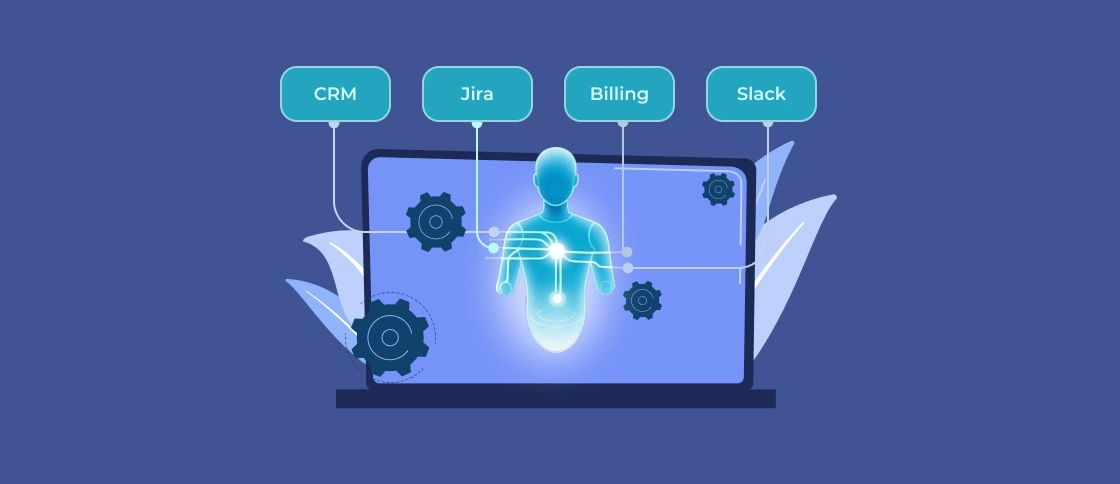
When a new ticket arrives, the AI agent doesn’t simply classify the text. It pulls in customer data, looks at previous requests, finds similar cases, and checks for known issues in the product. This creates a more complete picture, which workers can use for the next steps.
The key change here is to cut the need to navigate systems manually. The agent forms the context immediately.
This is especially noticeable at the routing stage. Instead of a simple “send to team X,” a clear solution emerges: why this particular route was chosen, what data influenced it, and whether similar cases have occurred before. This reduces the number of refunds when you transfer a ticket from team to team.
Another important point is working with complex cases. When you need to escalate the case, the agent can gather all the relevant information in advance. So the engineer receives a prepared context that they can work with.
Why does the Human Still Remain in the Loop?
Despite all its capabilities, an AI agent should not make final decisions. In simple scenarios, it can act almost autonomously. But as soon as a case becomes complex or involves a key client, a human agent should step in. They adjust priorities, make escalation decisions, and, of course, communicate with the user.
In practice, this doesn’t feel like a replacement, but rather like a redistribution of effort. Humans stop wasting time on mechanical tasks and focus on where their expertise is truly needed.
What Results are Realistic?
If you integrate the system with key data sources, the impact is quite rapid. This reduces initial ticket processing time because agent collects most of the information. This also reduces routing errors, and escalations are faster because context doesn’t need to be re-explained.
Often, this is a subtle but noticeable change. The customer support team processes more requests without increasing staff. You reduce the workload on experienced employees, and processes become more predictable.
However, it’s important not to overestimate the impact. AI won’t fix poor CRM data, replace engineering expertise, or provide perfect accuracy. If processes are chaotic, an agent will only accelerate this chaos.
When is This Approach Suitable?
AI Support Triage Agent makes sense where complexity already exists. Many systems, disparate data, long ticket processing cycles, and frequent handoffs between teams. This is especially noticeable in B2B products, where each client has specific needs and obligations.
If the workflow is small and everything fits into a single tool, the impact will be limited. In such cases, it’s easier to optimize the process than to add a new layer.
How Softacom Can Help
Implementing an AI support triage agent is not a “plug-and-play” model. The main challenge of enterprise AI support solutions lies in integrating systems, managing access, and building logic that will work reliably in real-world processes.
Softacom approaches developing an AI support automation solution like this:
We begin with an analysis of the current processes. Then, we design the agent’s architecture, taking into account specific systems: helpdesk, CRM, knowledge base, and product data. It’s important to determine what data is truly needed for decision-making and how to use it safely.
We pay special attention to control:
- Configuring human-in-the-loop support
- Logging all agent actions
- Ensuring AI agents’ decision transparency (why they chose a particular route)
After launch, the agent is trained on real cases to adjust its logic and optimize scenarios. You get a working layer within the support process that truly reduces the workload.