- When the Problem is Not in Searching, But in Preparing for Action
- Why Disparate Context Creates Operational Overhead
- How Do Workflow AI Agents Differ from a Search Assistant?
- Where It Becomes Especially Critical
- Why Human-in-the-Loop is Especially Important Here
- What is Changing for Business?
- AI Agents Prepare the Next Step
- How Softacom Can Help

For many companies, the problem has long been more than a lack of data. On the contrary, there’s too much data. The CRM stores deal history. The support system stores correspondence and tickets. Manager notes, documents, contracts, billing information, call recordings, internal chats, spreadsheets, and dozens of integrations between services that companies store separately.
In practice, this leads to a strange situation: before an employee can take the next step, they first have to become a “context gatherer.”
A sales manager is trying to figure out why a client is late with a payment. A support engineer is trying to understand what the customer success manager promised a month ago. The onboarding team is finding out which integrations have already been approved during the pre-sales phase. The finance department manually checks whether a contract is active and whether there are any open incidents.
Technically, the information exists. But it’s scattered across systems and people.
And this is where the type of operational “friction” that’s rarely visible in reports but slows down the entire company on a daily basis appears.
When the Problem is Not in Searching, But in Preparing for Action
Most companies initially try to solve this problem through “smart search.” They create AI search assistants, corporate chatbots, and knowledge search platforms. These tools help find a document, email, or relevant note faster. But in real-world work, this is often insufficient.
The problem usually doesn’t look like “I can’t find a file.” It looks like:
- “What do I need to know before calling a client?”
- “Can I start onboarding?”
- “Why was this ticket escalated again?”
- “What are the risks for this account right now?”
- “What happened to the client in the last two weeks?”
In other words, people need more than just a search. They need context for the next action. And that’s a completely different challenge.
Why Disparate Context Creates Operational Overhead
When employees constantly collect information manually, the company gradually begins to lose speed at almost every stage of the process. Response times increase. Errors rise. People make decisions without full context. Teams begin duplicating questions. Clients are forced to repeat the same information multiple times.
This is especially true in processes that involve many departments. For example, sales transitions to onboarding. Onboarding transitions to support. Support transitions to account management. At each stage, some context is lost because it is stored in different systems and transferred manually.
In the end, even a simple action turns into a chain of micro-delays:
Open CRM → check notes → find old emails → check billing → check with colleagues → compare documentation → check integration status → only then make a decision.
The most frustrating thing is that employees gradually start to consider this a “normal part of the job.”
How Do Workflow AI Agents Differ from a Search Assistant?
An AI search assistant answers a question. A workflow AI agent helps prepare for action. The difference seems subtle only at first glance. A search assistant typically works reactively: a user submits a request, and the system returns information. A workflow AI automation agent is business-process-based. It understands the user’s current state, what’s currently happening, and what context is needed for the next step.
For example, before customer onboarding, an AI agent can automatically:
- collect data from the CRM
- check contract activity
- retrieve previous communications
- highlight promised integrations
- display open risks or unresolved tickets
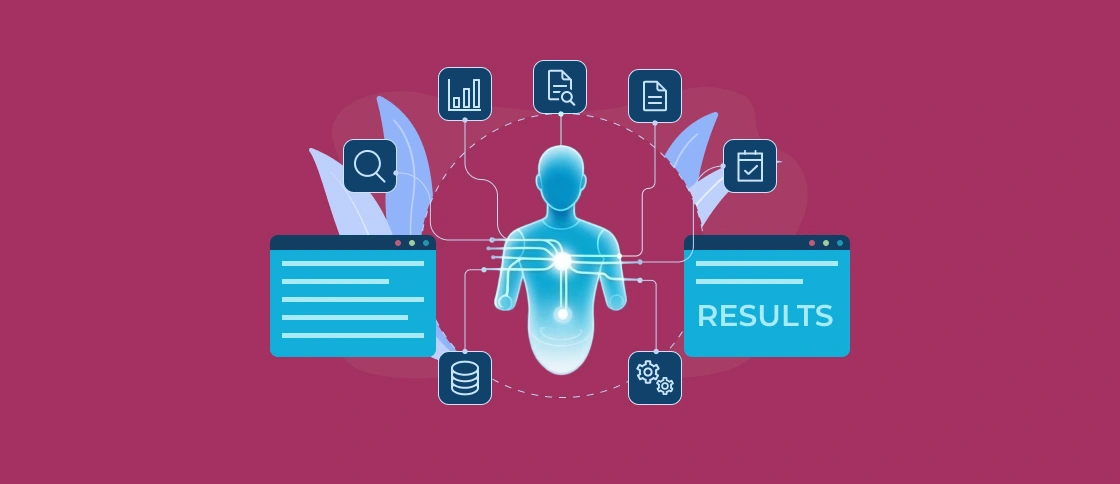
- compile a client summary in a single interface
And only then can it convey the completed context to a human.
Employees don’t need to “search.” They receive a pre-prepared picture of the situation. This is why such systems are beginning to be perceived not as AI chat, but as part of the company’s operational infrastructure.
Where It Becomes Especially Critical
Typically, such problems manifest most acutely not in small teams, but in growing companies.
While processes are few, people can still keep context in mind. But when multiple departments, dozens of clients, complex integrations, and long customer journeys emerge, manual information collection is the first to break down. The following scenarios are particularly critical:
- сustomer onboarding
- support escalation
- enterprise sales
- renewals and account management
- financial approvals
- compliance checks
- incident management
In all these processes, errors typically occur because people don’t have the full picture when making decisions. In such cases, an AI agent acts as an orchestration layer between systems and teams. It eliminates the need to manually gather context before each action.
Why Human-in-the-Loop is Especially Important Here
When it comes to workflow automation, many companies fear a “black box” that makes decisions without transparency. So, in mature AI workflow orchestration systems, a human-in-the-loop approach plays a key role.
The agent shouldn’t act unsupervised on behalf of the business. Its job is to prepare information, suggest the next step, highlight risks, and explain the origins of the data.
For example: which systems were used, what records were found, why the client was marked as a risk account, which tickets generated the recommendation, what data is missing.
Particularly in the enterprise environment, traceability is becoming a mandatory part of any AI automation. Companies want to understand not only “what the AI suggested,” but also “why it suggested it.”
What is Changing for Business?
The most noticeable effect is usually associated with a reduction in operational noise.
Teams spend less time switching between systems. The number of internal clarifications decreases. Handoffs between departments are accelerated. New employees are more quickly integrated into processes. Support and accounting teams begin to work with a more complete picture of the customer.
Over time, this also impacts business metrics:
- time-to-resolution decreases
- AI-powered onboarding speeds up
- the number of errors during client transfers between teams decreases
- the quality of customer communication improves
- the workload on senior employees is reduced
And most importantly, the AI agent connects fragmented systems into a single workflow.
AI Agents Prepare the Next Step
Today, many companies still view AI through the lens of chatbots and information retrieval. But in real operational processes, value often emerges elsewhere.
Not when the system “finds the document.” But when a user has access to all the necessary context before taking the next step.
This is where workflow AI agents are gradually becoming part of modern operational architecture, especially in companies where data has long ceased to be a problem, but its connectivity and availability at the right time remain the main source of time loss.
How Softacom Can Help
At Softacom, we help with enterprise AI integration that gather and prepare the right business context before the next action happens.
We focus on operational workflows where teams lose time switching between systems or manually collecting information.
We can help you:
- connect CRM, support, billing, and internal systems into unified AI-driven workflows
- build AI for customer onboarding, support, sales, renewals, and approvals
- implement human-in-the-loop automation with transparent recommendations and traceability
- reduce delays caused by fragmented customer context across departments
We design solutions for companies that need tailored AI automation integrated into existing enterprise environments.